
inISO Studio
CATALOGUE · VERIFY · ARCHIVE
One clear catalogue of the OS images, recovery disks and boot tools across your drives,
and a heads-up when a newer release is out.
How it works
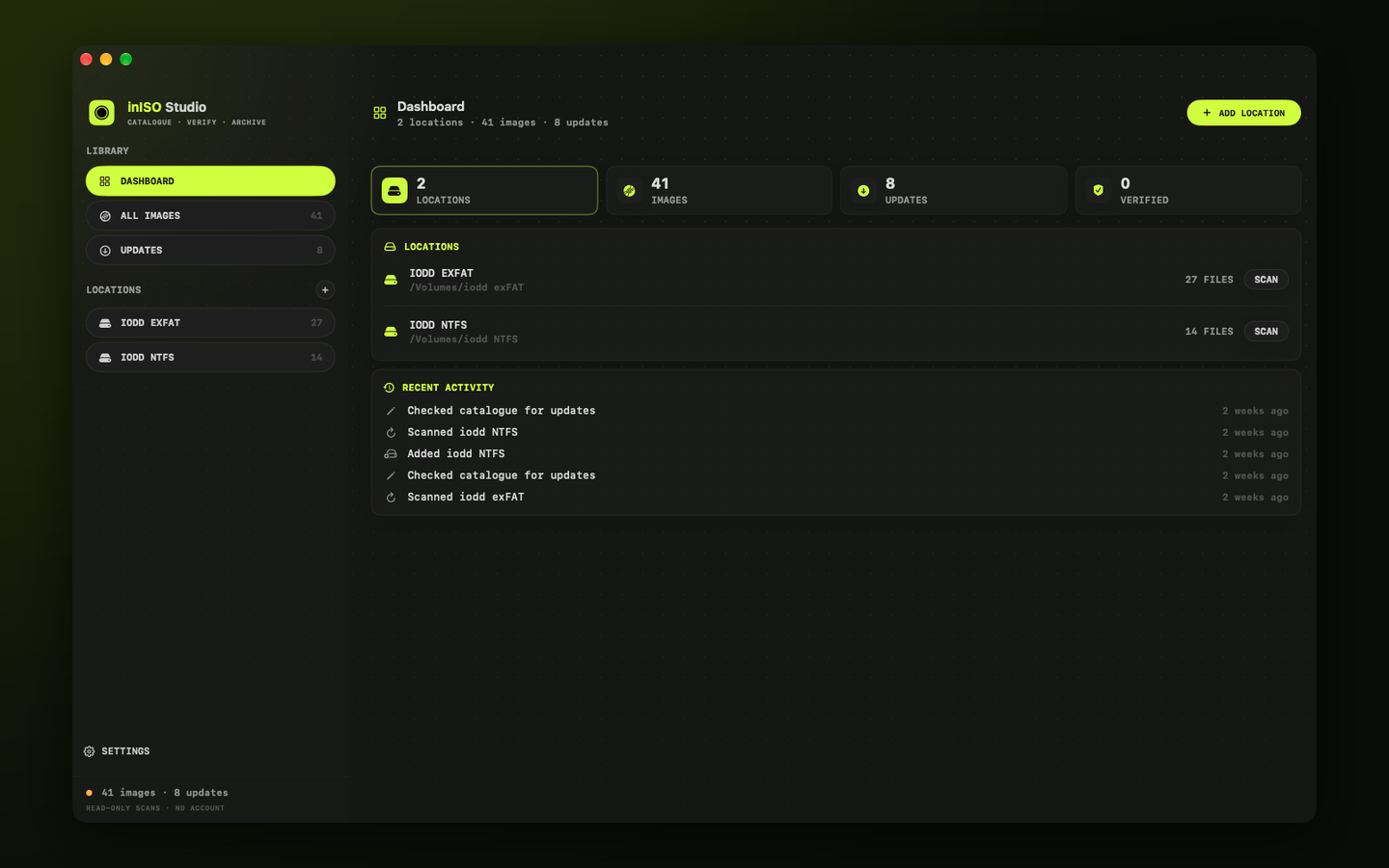
- 01
Add your drives and folders
Add a drive or folder and inISO Studio scans it without changing anything. Unplugged drives stay in the catalogue.
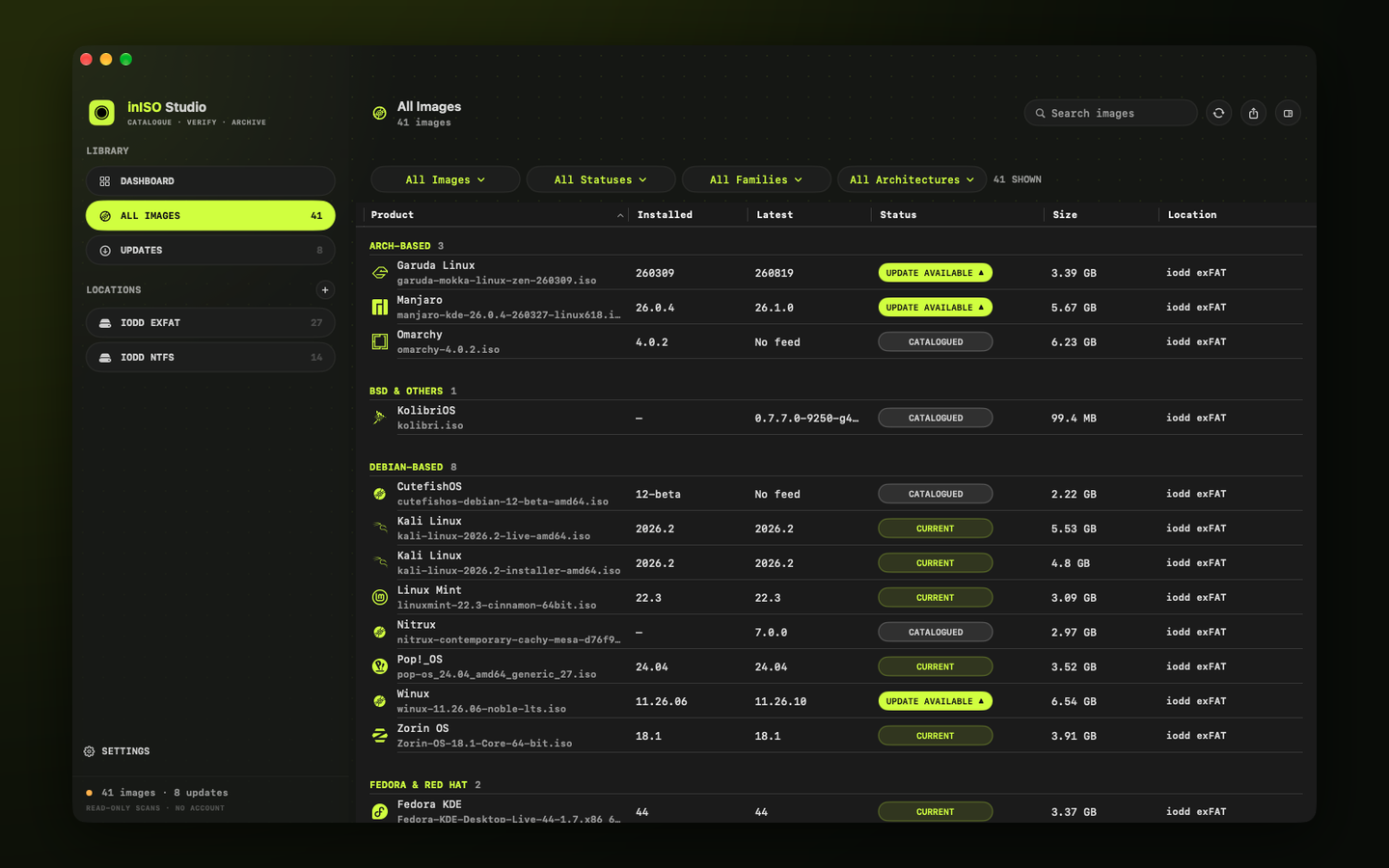
- 02
See every image in one place
Disk images, installers and tools are recognised from their file names and grouped by family, with your own rules for anything else.
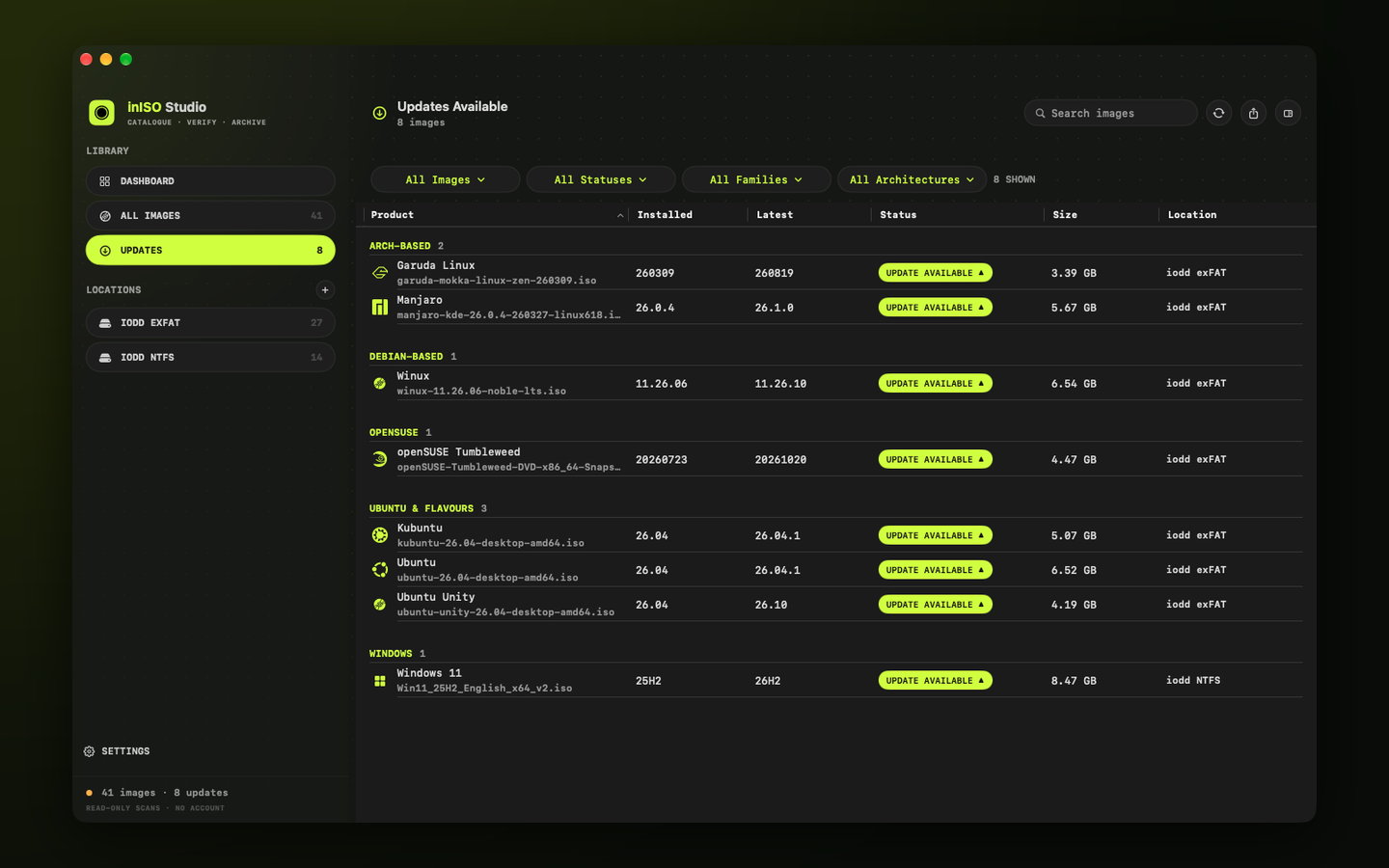
- 03
Know when a newer release is out
Update checks read the official release feeds of the products you have, and keep earlier results when a site can’t be reached.
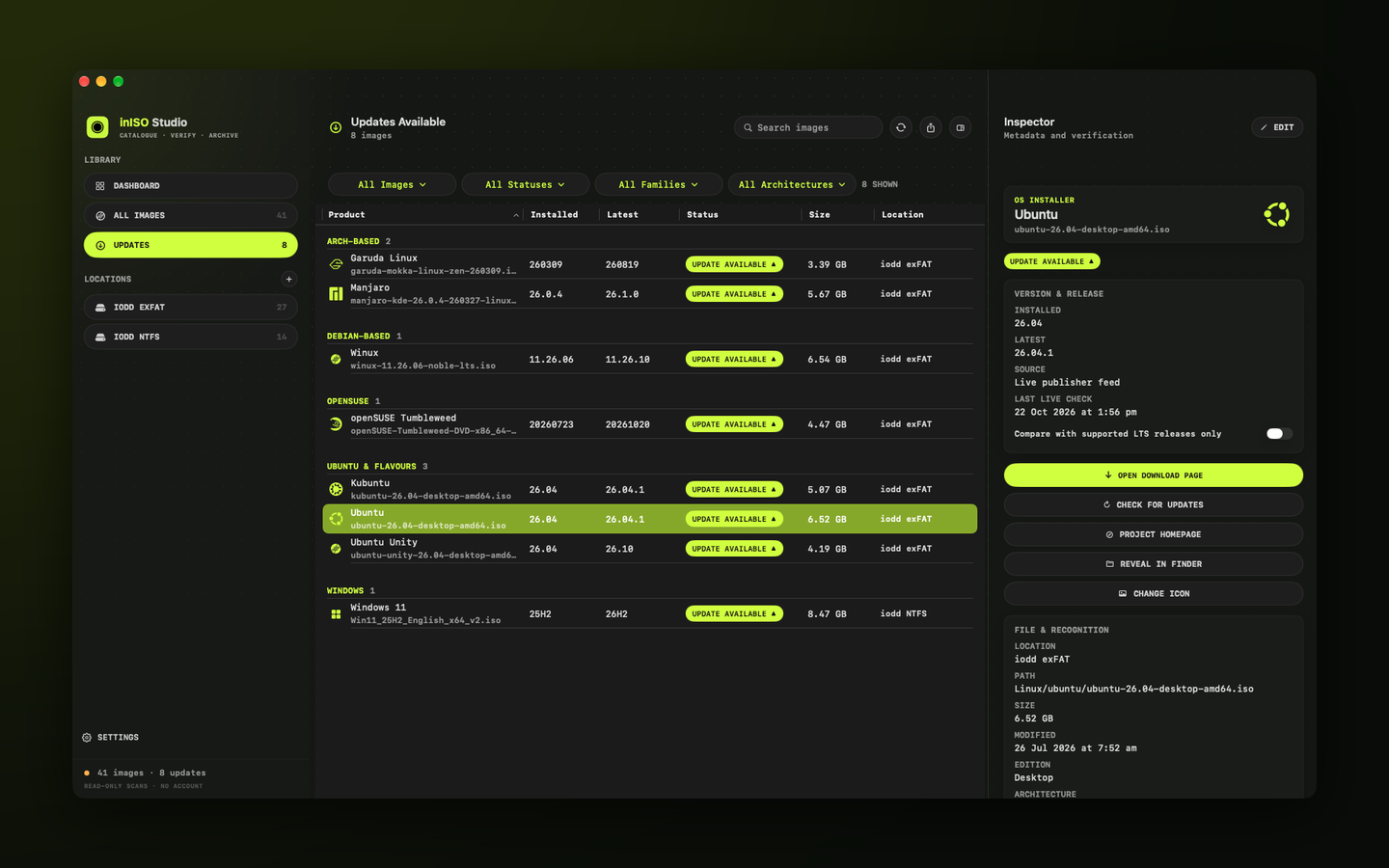
- 04
Check the details
See versions, where a result came from and where the file lives, then open the publisher’s own download page in one click.
Your catalogue
- One catalogue across any number of drives and folders
- Read-only scans: your files are never moved, renamed or deleted
- File-name recognition with your own rules and manual corrections
- Filters for types, tags, duplicates, unmatched and missing files
- Notes, catalogue backup and restore, and CSV export
Current and verified
- Update checks from official release feeds, with an offline fallback
- SHA256 calculation, compared with publisher checksums you supply
- Bundled distro icons that work offline
- Optional network checks, and an Offline Mode
- An in-app Guide (Help → inISO Studio Guide)
Details
- Version
- 1.0
- Requires
- macOS 26 or later
- Category
- Utilities
- Scans
- Read-only
- Data
- Not collected